Environment One:
Bedroom02
One of three Environments for Task Three for Modelling to Camera.

I chose this asset for its lack of colour. In my previous task, I did that to avoid any complications and to visually clarify the staging to my audience. I think trying to express a monochromatic environment would intentionally prove to be a challenge for me to overcome.
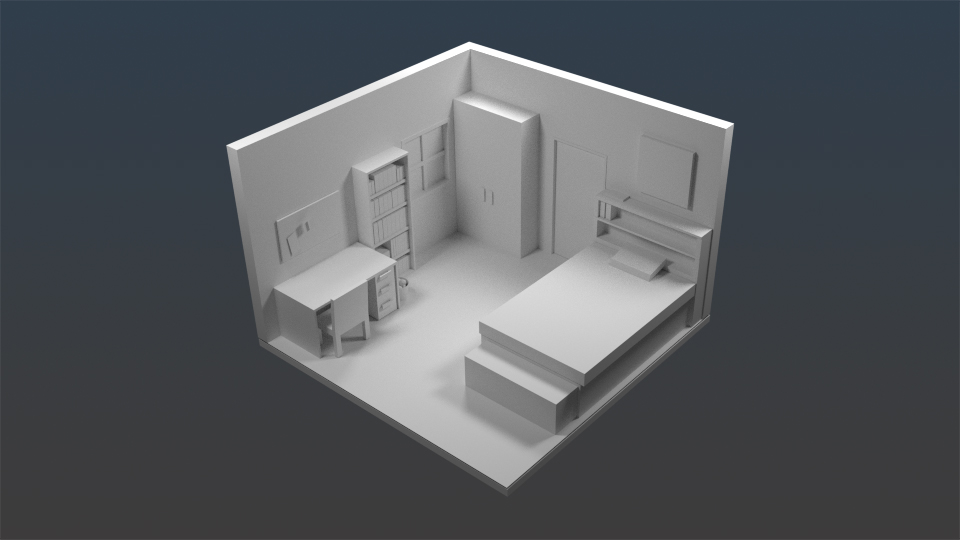
I chose this asset for its lack of colour. In my previous task, I did that to avoid any complications and to visually clarify the staging to my audience. I think trying to express a monochromatic environment would intentionally prove to be a challenge for me to overcome.
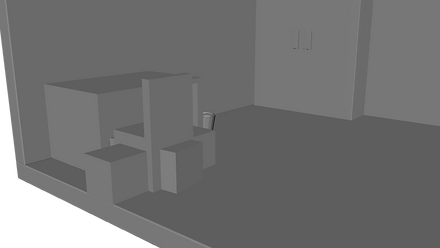
For a wide majority of the assets, I used Polygon Cubes. Most common tools were Booleans, Bevelling, and Combines.
For the Desk and Chair, I tried to delete the faces of the Cube and use the Fill Hole function to form the legs, but it would simply undo what I had done. So after further troubleshooting with Face mode, I realised I would not accomplish this without Boolean Difference. I made two separate polygon cubes, with one trying to imitate the other to make the hole, but I did not realise a more efficient way was duplicating the original Cube and rotating the duplicate.
The window and door were slightly more complicated since they were required to be a bit further back than the actual walls. So I used Boolean difference on the wall with a duplicated shape to form holes, and to use the Extrude tool to scale the door and window from their frames for the illusion of distance. Using all these tools and functions, I made the bed, chest, mattress, books, and headframe. The board above the bed was made using a Polygon Cube extended to match.
Overall, I am quite happy with how this turned out. I think some additional tweaks and edits to the scene I will add later on will help.